•



Most sellers don't respond to the first postcard. They respond to the third or fifth, when the timing finally lines up with what's happening in their life. Sending mail consistently by hand is easy to start and hard to keep up.
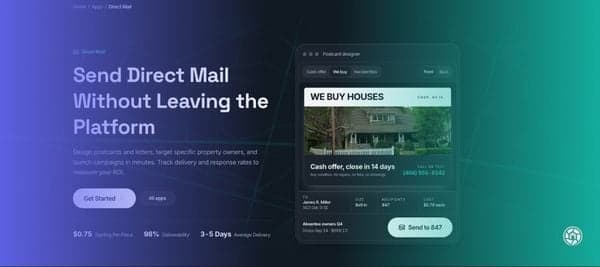
Automated mail solves that. You set up the campaign once, and DealMachine handles the timing, printing, and follow-up. Here's how to set it up in the current platform, step by step.
Why Automated Direct Mail Matters
Motivated sellers rarely move on your timeline. A homeowner who ignores your mail in March may be ready to talk in July, and a consistent campaign helps ensure yours is the name they recognize. The DealMachine Direct Mail app keeps your property data, designs, and tracking in one place, which gives you:
- Consistency. Every owner gets every touch, on time.
- Predictable spending. Future sends are charged when they go out, not all at once.
- More time for conversations. Your time goes toward the calls that come in.
Before You Start: Build Your Audience
Open Find properties from the left sidebar, type a location, and apply quick signals like Vacant Homes, Absentee Owners, High Equity, or Preforeclosures. Stacking signals tends to work well, as our research on absentee owner tax delinquent properties and the triple-signal motivated seller map shows.
Select the properties you want and click Actions. From here, you can choose Send Mail to start a campaign, or Add Prospects or Create List to save them for later.
How to Set Up a Mail Campaign in DealMachine
You can also start from the mail side. Under Apps in the left sidebar, click Direct Mail, then + New campaign. Setup has four steps.
Step 1: Choose Your Audience
Pick recipients from the Properties, People, or Lists tabs, then click Choose designs.
Step 2: Choose Your Designs and Campaign Steps
Each design you add becomes a step. You can add up to five, set the timing for each, and reorder them before launch using + Add another step. To set timing, click Edit on a step, choose a Send frequency, and click Update step.
Step 3: Add Campaign Details
- Campaign info: A name for internal tracking. AI can suggest one if you'd like.
- Return address: The sender address printed on each postcard. This is required.
- Contact block: Your name plus at least one response option: phone, email, or a QR code link.
- Schedule: Now, Tomorrow, Next week, Next month, or Pick a date.
Step 4: Review and Schedule
The Review screen summarizes your audience, sequence, schedule, sender, and contact block, each with its own edit button. The order summary shows what's due today and what's scheduled later. Campaigns with future sends require auto-reload so those sends can be charged when due. Check the review confirmation box and click Save & schedule campaign. Once that's saved, everything else happens automatically.
Choosing a Send Frequency
Each step's send frequency controls how often that postcard goes to each recipient:
| Send Frequency | Good Fit For |
|---|---|
| Just once | Introductions or testing a new design |
| Every 21 or 30 days | High-motivation lists like vacant or tax delinquent |
| Every 45 or 60 days | Larger lists where budget matters |
| Every 90, 180, or 365 days | Long-term nurture |
Tips for a Campaign That Keeps Working
- Vary your designs. A friendly introduction followed by a cash offer is a common pairing.
- Match frequency to the list. Stronger signals, like trust owned property leads or expired listings, may justify a tighter schedule.
- Add a QR code link so sellers can respond quickly and results are easier to track.
- Be ready for responses. It helps to know how to handle common seller objections in real estate.
To track results, the Campaigns tab shows pieces sent, total spent, scheduled sends, and delivery rate. The Analytics tab offers deeper reporting.
Frequently Asked Questions
What is direct mail automation software?
It lets you set up a campaign once and have each send printed and mailed on a schedule. In DealMachine, it's built into the platform you use to find owners, so there's no exporting to a separate vendor.
How much does automated mail cost per postcard?
Cost depends on postcard size (4x6, 6x9, or 6x11) and your plan. The Review step shows the exact total before anything is scheduled.
Do I pay for the whole campaign upfront?
No. Only what's due today is charged. Future sends are charged when they go out.
How many steps can a mail campaign have?
Up to five designs, and each step can send once or repeat on its own schedule.
How often should I send real estate direct mail?
Many investors repeat every 21 to 30 days for highly motivated lists and use longer intervals for larger lists. Review your results after a few months and adjust.
Getting Started
Setting up a campaign takes a few minutes. If you'd like to try it, open Direct Mail, click + New campaign, and start with a list you already trust. From here, you can adjust as results come in.